The inspector
Two doors, for two kinds of question:
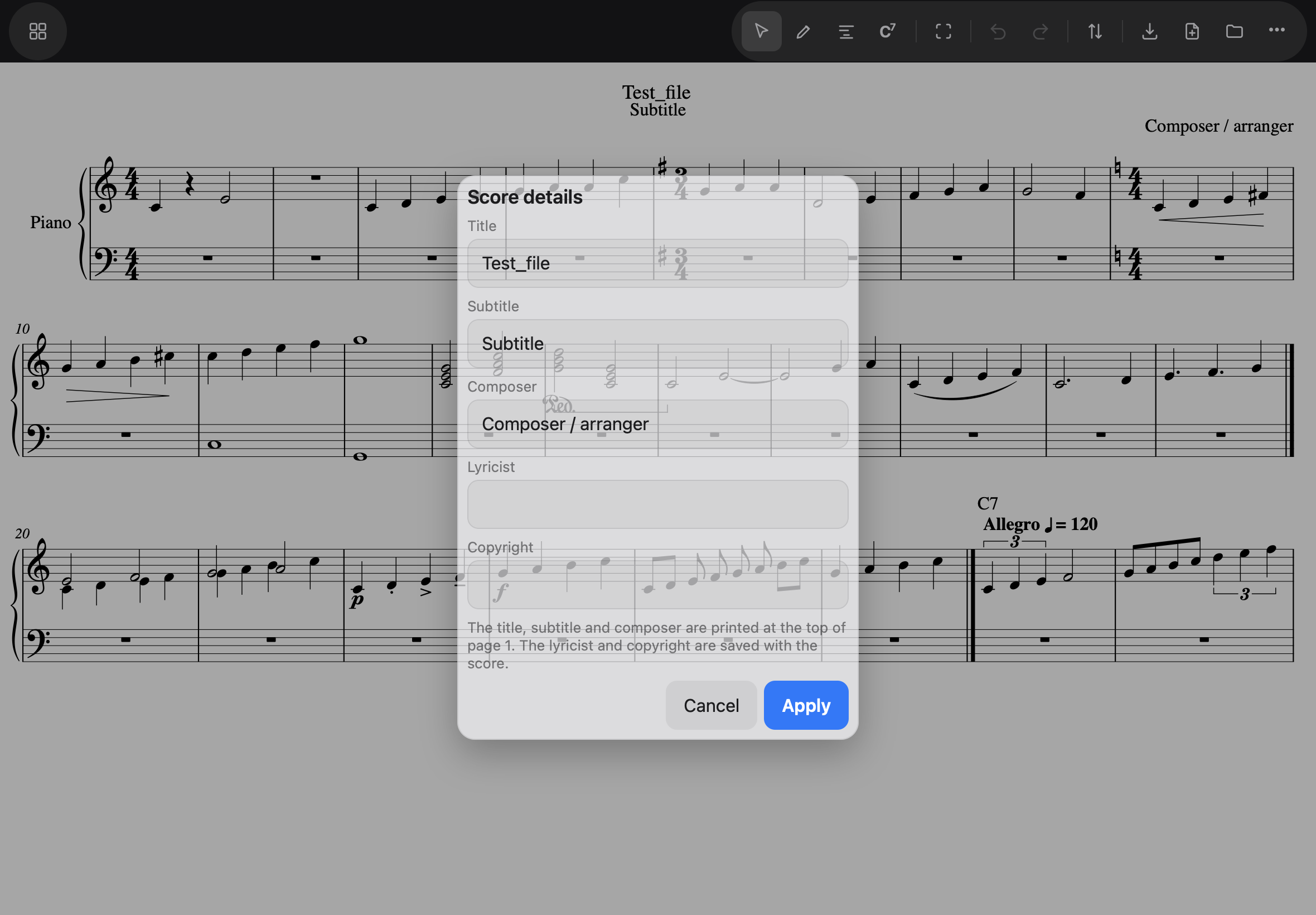
- About the score itself — the toolbar’s … → Score details…: title, subtitle, composer, lyricist, copyright, and two choices about the engraving — merge matching rests, multimeasure rests — that Notes and rests explains. The first three print at the top of page 1; nothing needs selecting to fix a typo in them.
- About something selected — the … above the score → Inspector…, which opens the sheet that fits what is selected.
The tempo mark
A tempo mark belongs to a bar, not to the score — select a bar and take Tempo mark from the palette drawer, or tap an existing mark and open the Inspector. Words (Allegro), the beat unit, and beats per minute; a preview line assembles the whole thing — Allegro ♩ = 120 — before you apply it.
The staff — tap its clef
Tap a clef to reach a staff’s own settings — the clef is the one thing drawn on the page that belongs to a single staff. The Staff sheet holds:
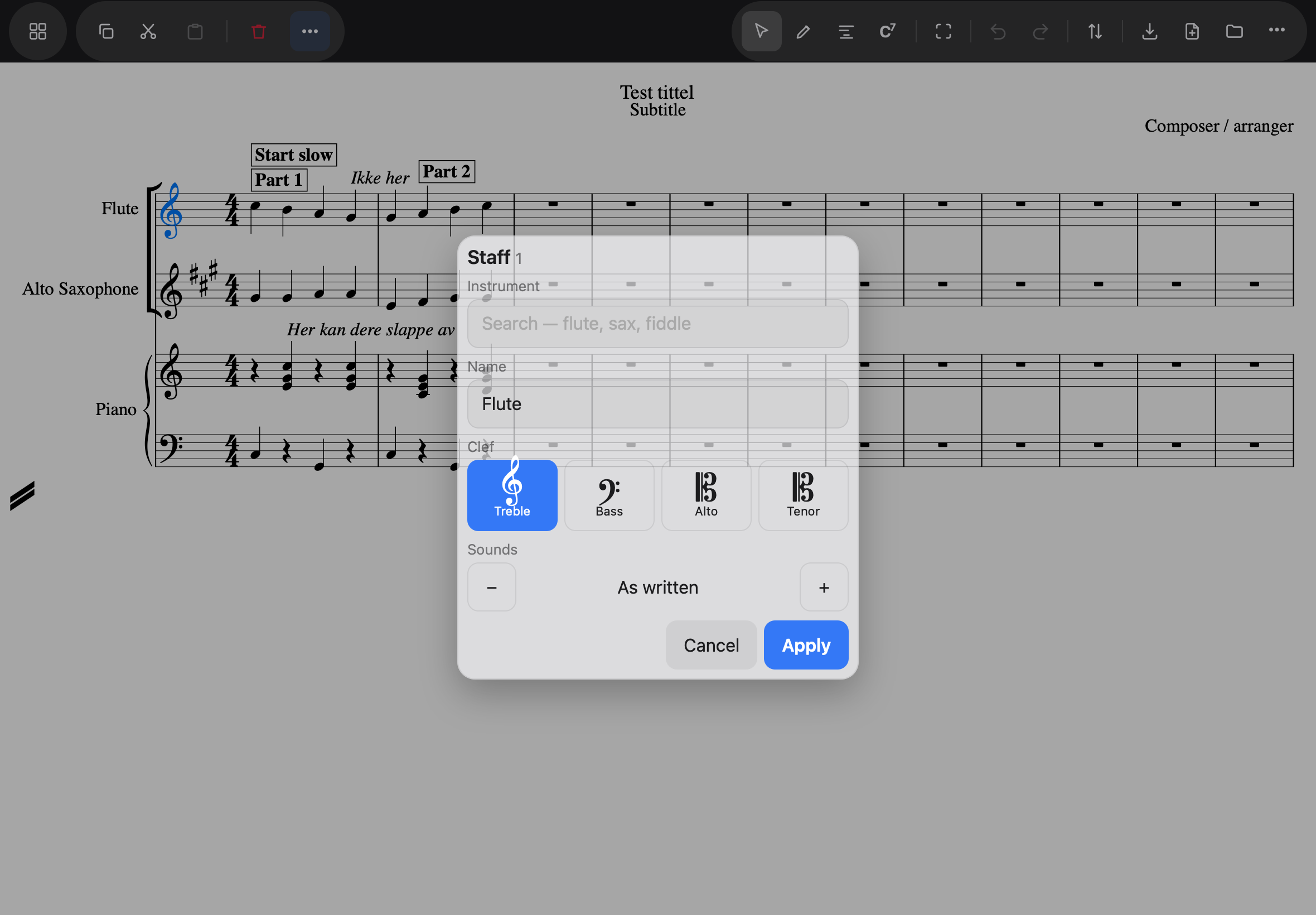
- Instrument — search flute, sax, fiddle…; choosing one fills in the fields below so you see what it will do before it does it.
- Name — what prints in the margin.
- Clef — treble, bass, alto, tenor.
- Sounds — for transposing instruments: As written, 2 semitones lower, and so on. Changing it respells that staff’s key signatures, and no other’s.
Selecting the clefs of several staves opens the sheet for all of them; a field they disagree about says Various, and a field you leave alone is left alone on every staff.
Above or below
Select a mark — or a phrase full of them — and the Inspector offers Above or Below the staff. Tapping a side is the answer; notes caught in the selection are ignored, and the count in the heading says how many marks will move.
Ties too. Tap the curve itself and open the Inspector: Above or Below turns it over. A tie’s shape is the engraver’s, so one that crosses a time signature between its two notes crosses it on either side. A slur has its own sheet — below.
Automatic. Articulations, dynamics, hairpins, ties and slurs have a third button. A mark you have never placed shows Automatic pressed, with the side Noteland drew it on in brackets; tapping Above or Below pins that side so it stays put however the score reflows, and Automatic hands the choice back. Words, rehearsal marks and lyrics have no automatic side, so they keep the two buttons.
For notes and rests themselves the Inspector stays closed on purpose: the input strip, three inches below, is their editor.
A slur — its side and its arc
Tap a slur and open the Inspector, and a panel rises along the bottom of the screen with nothing dimmed: the slur stays in view, because shaping it is a matter of looking.
Above, Below, Auto turn the curve over, as for a tie; Auto hands the side back.
Height and Peak are two sliders. Height is how far the arc stands off the line between its two notes; Peak is where along the slur it stands off most — drag it toward the start or the end to lean the curve. The score redraws while your finger moves, and the buttons beside each slider take a half-step at a time. On a very long score the redraw lags the finger; the buttons are the sure way there.
Automatic shape gives the arc back to Noteland, which draws it clear of what it can. A shaped slur is yours: it stays exactly where you put it, whatever else moves.
One undo takes the whole drag back. Shaping a slur, however long you slide, is one step; Undo puts the arc where it was before you touched it, and Redo where you left it. Undo also closes the panel, as does tapping anywhere else on the score.
In a file. Save and reopen in Noteland and the shape is kept. MuseScore reads the side and draws its own arc, and a file that has been through MuseScore comes back with the side and without the shape — MusicXML has no word for what the sliders set.