Settings
… → Settings. There is deliberately little here.
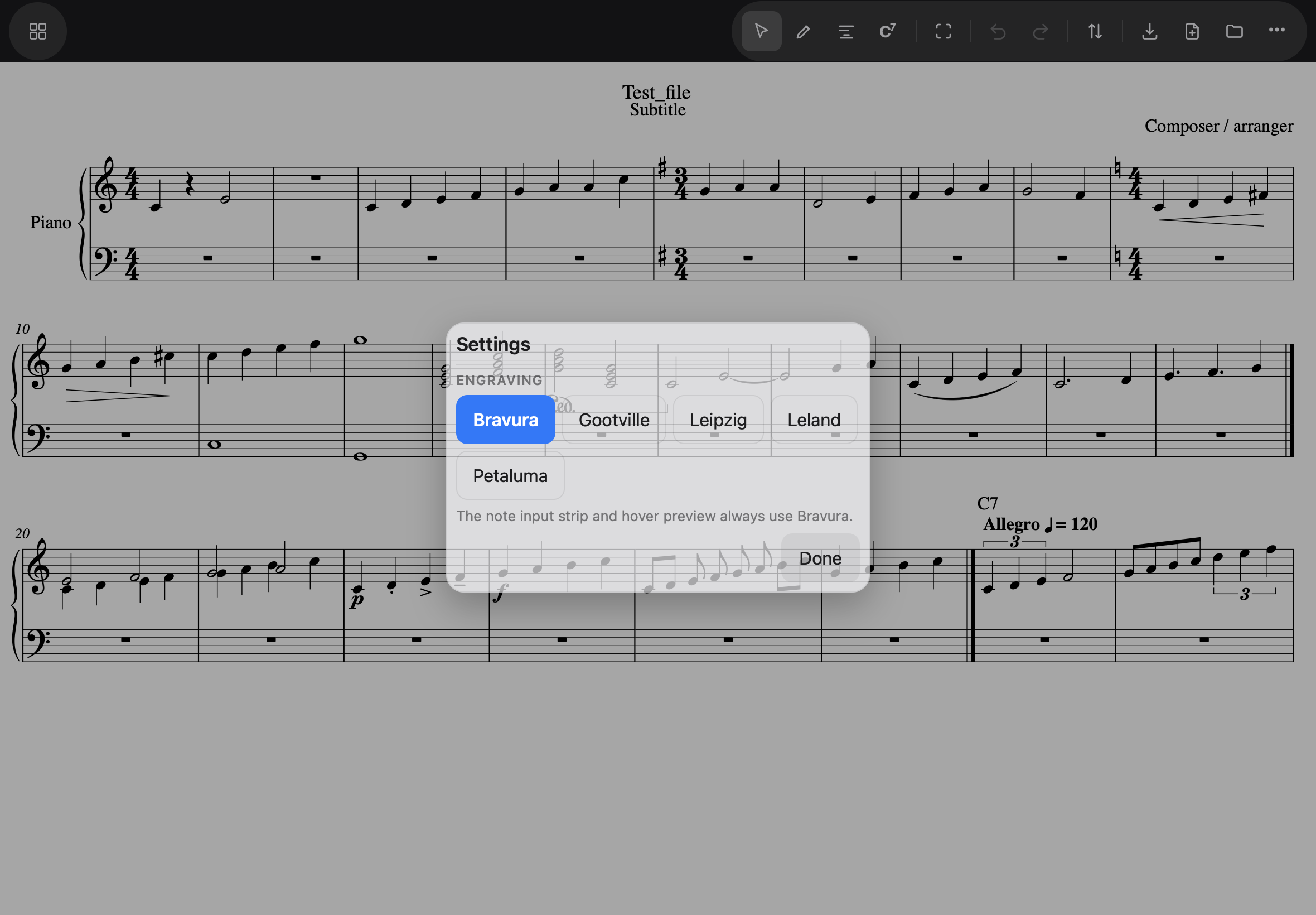
Engraving
Five music fonts to engrave with — Bravura, Gootville, Leipzig, Leland, Petaluma — shown as a row of buttons so the score stays visible while you choose. Changing the font re-spaces the music (glyph widths differ), and the app keeps your place. The choice is remembered. The note input strip always uses Bravura, whatever the score engraves in.
Input strip
Four things the note input strip can show beyond its defaults, each a checkbox: 32nd note, 64th note, Voice 2, and Voices 3–4. A lead sheet needs none of them, so they start off; a choir score wants Voice 2 constantly and voices 3–4 never, which is why Voice 2 is its own switch. Whatever you choose is remembered.
Switching off a voice you are composing in drops you back to voice 1 — notes never keep landing on a line the strip no longer shows.
Sound
Sound on note entry — on unless you switch it off. A note you place is heard as the pencil lifts, for half a second, at the pitch it will actually sound: the key signature, an accidental earlier in the bar and a transposing instrument all apply, so an F in G major sounds F♯. Adding a note to a chord sounds the whole chord; a rest is silent. Remembered, like the rest of Settings.
When the iPad is in silent mode, Noteland is silent too — placing a note and playing the score alike.
About
… → About Noteland is next to Settings and answers the practical questions: which Version and Build you are running, whether Offline is ready — and, when a new version has finished downloading, the Update button lives here, as the install page describes.