Transposition
Tap Transpose in the toolbar and the whole score is the subject — the sheet’s badge says so. To move only part of the music, select something first and take Transpose… from the … menu above the score; the badge then names the bars.
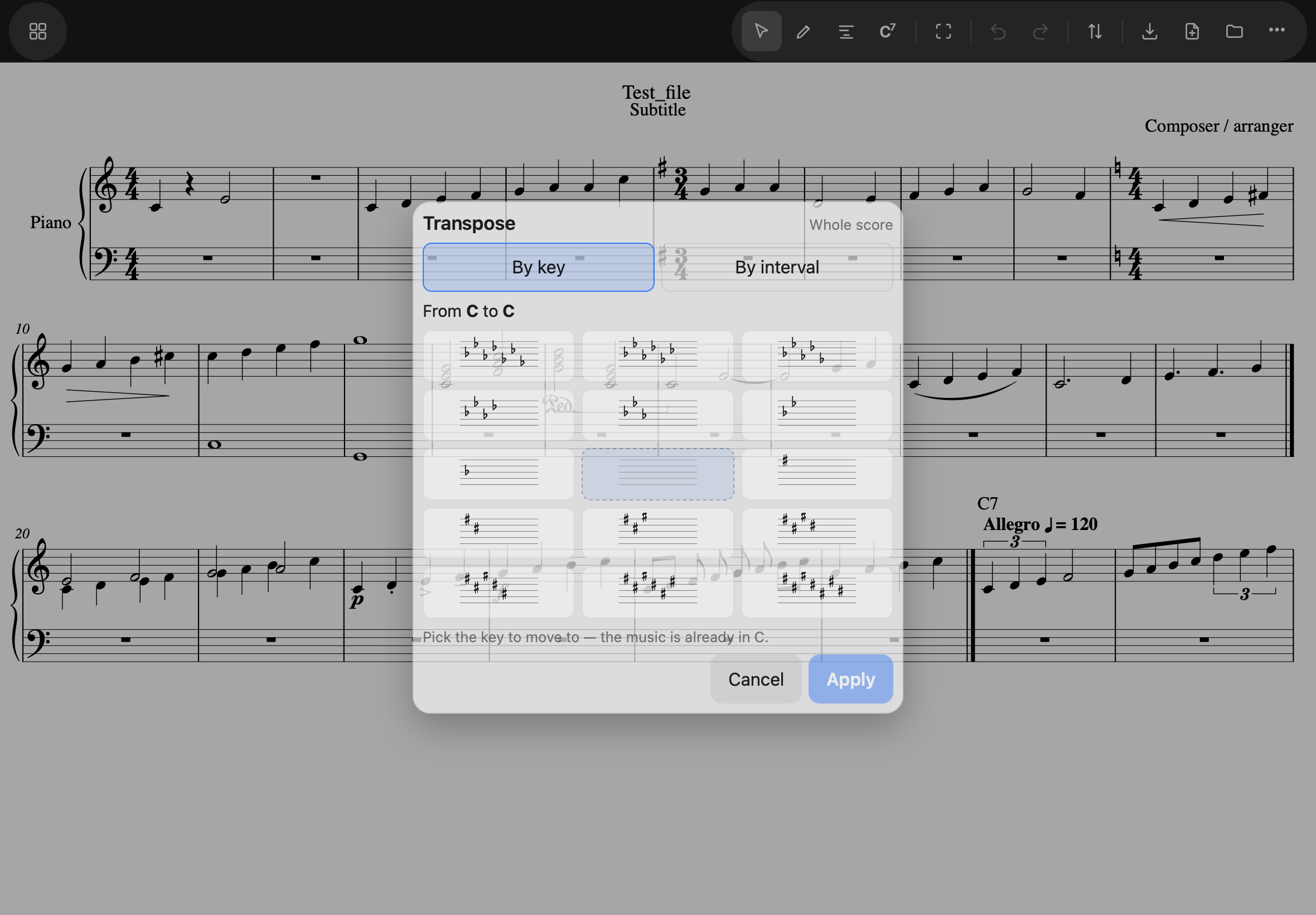
By key — the usual way
“Put this song in a key that fits my voice” is the gesture, so keys come first: fifteen key signatures drawn as they look on the staff — pick the one to move to. The key the music is already in is shown but disabled, labelled current. A line above the pictures spells out what will happen: From E♭ major to G major.
When the destination could be reached going up or down, the Direction row appears — Down · Closest · Up — because C to F♯ is the same distance either way, and the singer cares which.
By interval is the second tab, for “up a minor third” thinking; the same music moves either way.
Scope, and what moves with it
Transposition works in whole bars (an accidental holds to the end of its bar, so a half-transposed bar would be nonsense) — selecting three notes moves the bars they are in, and a tie is never cut in half. For a range, a checkbox offers Return to E♭ major after these bars — on by default, so only the selected bars move.
Chord symbols move with the notes, spelled the same way, so the chart and the melody can never disagree. A chord symbol the app cannot read is left exactly as it was — and counted, in a message, so nothing changes silently.
There is no preview: Apply writes it, and Undo takes it back, like everything else.