Copy and paste
Copy · Cut · Paste sit above the score whenever something is selected; with a hardware
keyboard, Cmd+C, Cmd+X and Cmd+V do the same.
One rule explains everything here: a copy takes whole bars. Select three notes and the copy is the bars they live in — grown, if necessary, so no tie is ever cut in half. The toast tells you exactly what was taken: Bar 3 copied, Bars 3–5 copied.
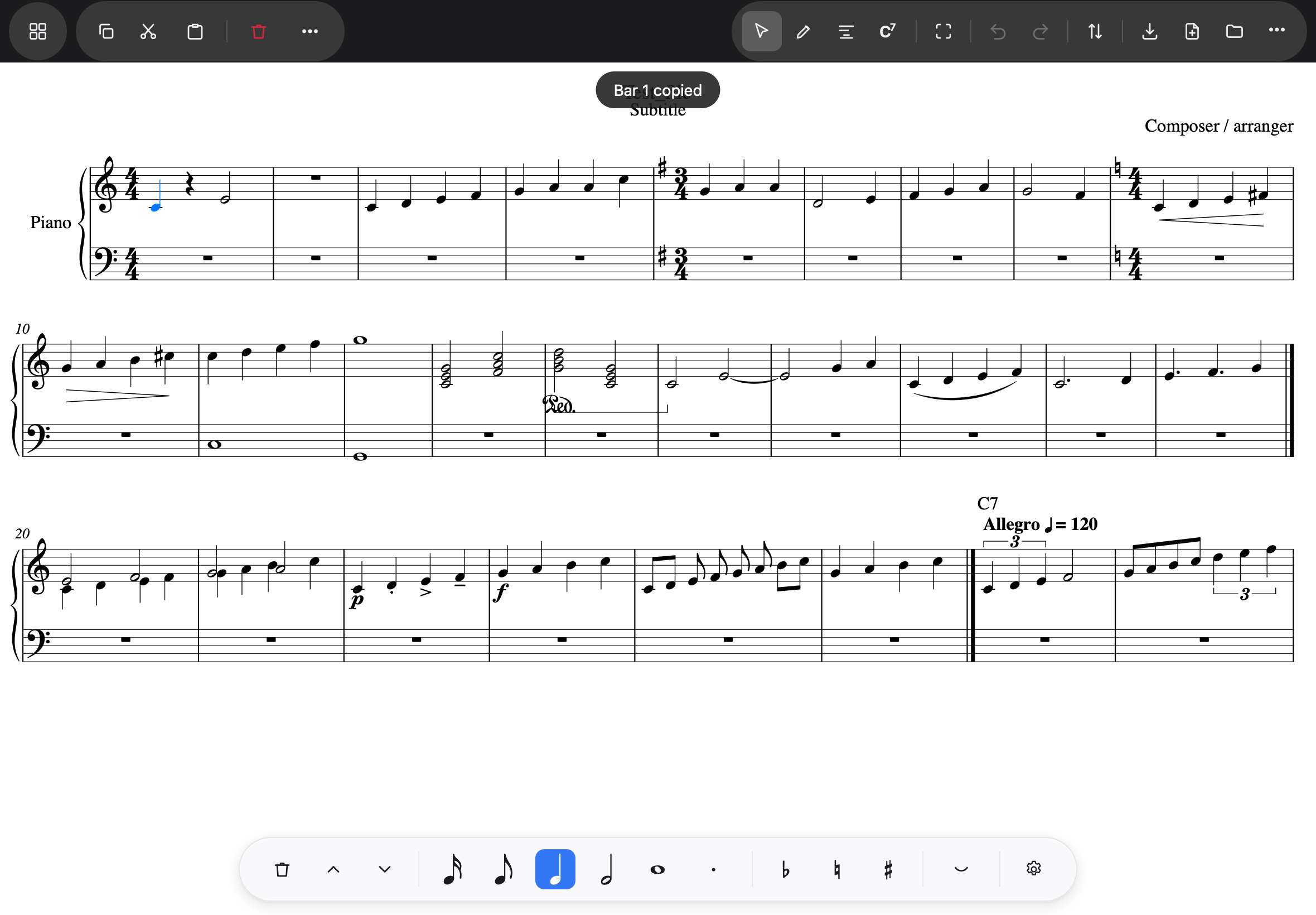
Pasting
Select the bar to paste into, tap Paste:
- Paste replaces. Four bars pasted at bar 9 overwrite bars 9–12; nothing slides along. To make room first, use Insert bars… (Bars and structure).
- Past the end, the score grows — pasting at the last bar appends what does not fit.
- The pasted bars become the selection, so paste, tap the next spot, paste flows.
Everything is checked before anything is written. If the copied music cannot land — wrong meter, not enough staves, not the same length — the app refuses in words and the score is untouched: “Bar 9 is in 3/4 and the copied music is in 4/4.”
Two scores into one
Copied bars survive opening another score. So two files become one this way: open the second, select its bars, Copy; open the first, add an empty bar at the end (Insert bars…), tap its rest, Paste. The score grows by the copied bars, and the new bars take the copied music’s time signatures — a 2/4 bar stays 2/4. Save, and it is one file. (Two pages scanned separately are the everyday case.)
The rule behind the empty bar: paste replaces from the bar you tapped. Tap the last bar that has music in it, and the first copied bar lands on top of it. The empty bar is where the copied music starts.
Two limits, honestly
The clipboard lives for the session: closing the app empties it. And a time signature only travels into bars a paste creates at the end — pasting onto an existing bar in another meter, or of another length, is refused in words rather than silently re-barred.